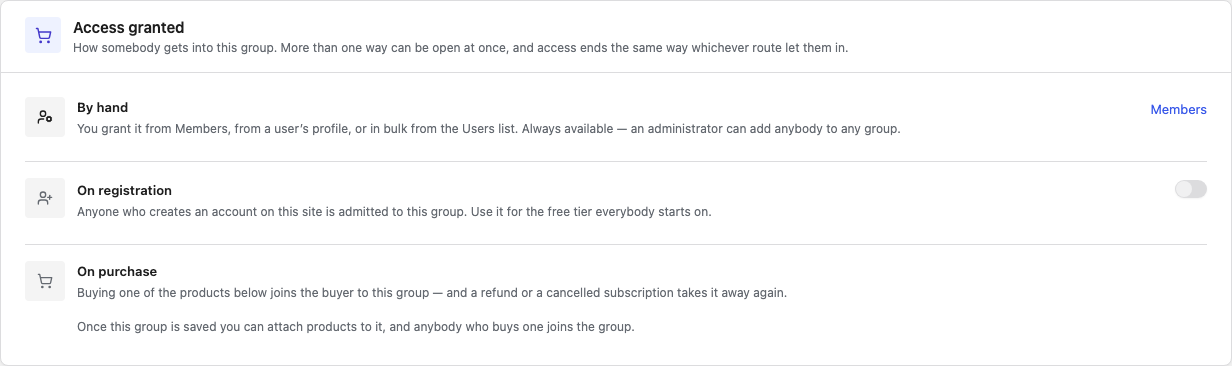
The Access granted tab of an access group says how people get in: you add them, they create an account, or they buy a product. A group can use all three at once.
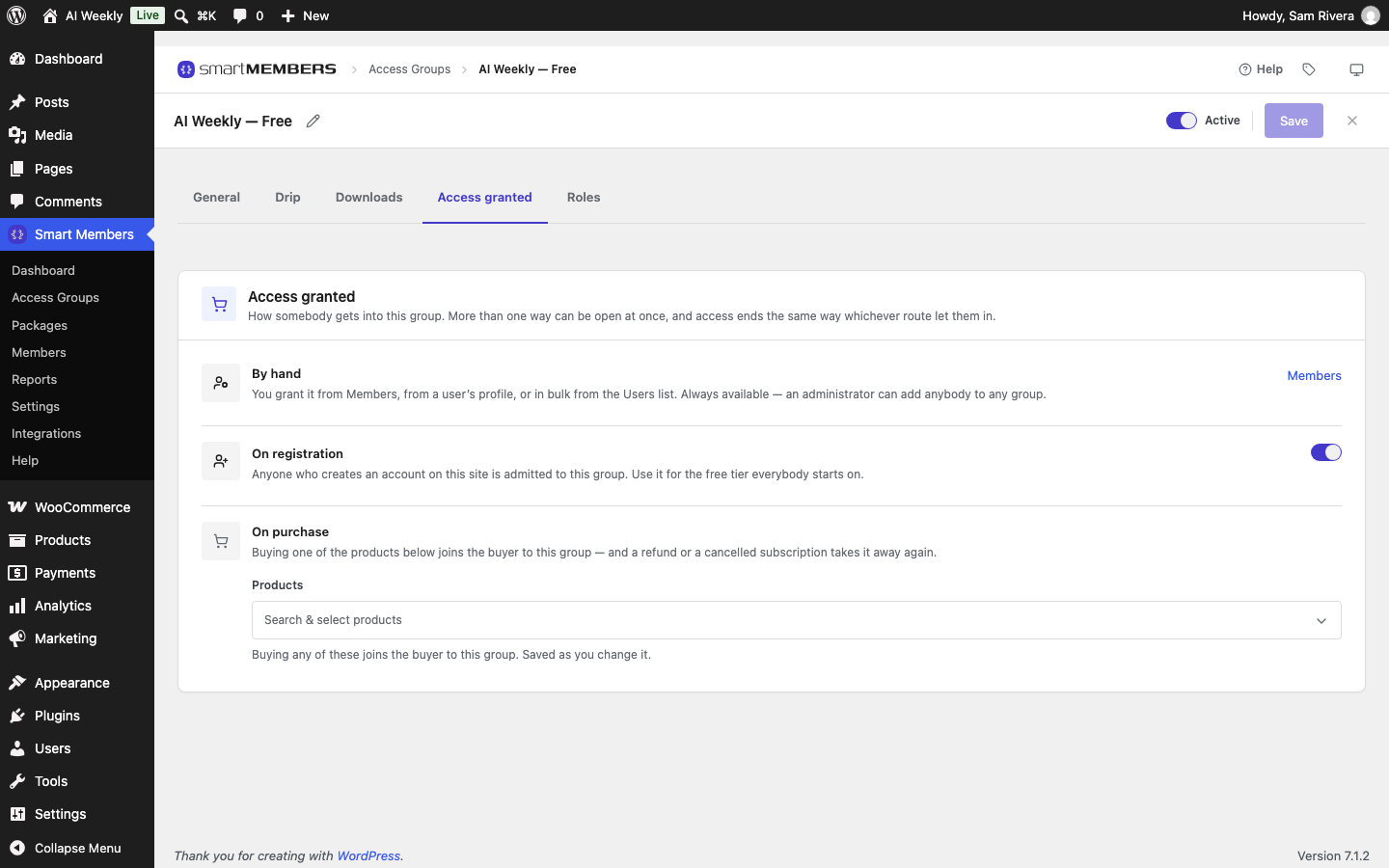
Open a group under Smart Members → Access Groups and click Access granted. Rows in use are highlighted.
By hand
By hand is always available. Use it for guests, reviewers, or to fix an order.
- Go to Smart Members → Members and click the person's name.
- Click Grant access and pick the group under Access group.
- Optionally pick a day under Access ends, then click Grant.
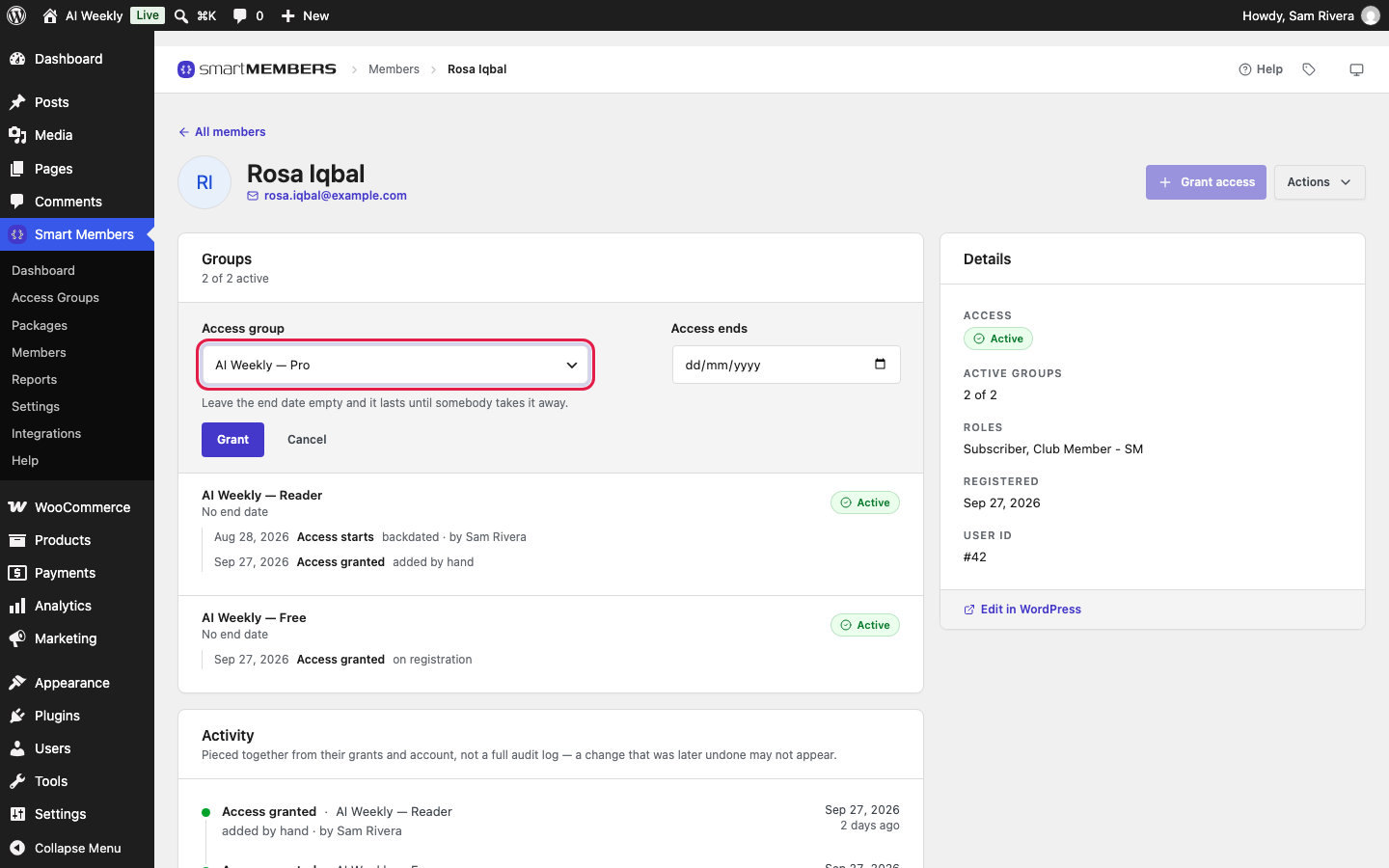
With Access ends empty, the group's Membership length decides. See Give, remove and block access.
Pro: Smart Members Pro adds a groups box on each user's WordPress profile, and a bulk action on Users.
On registration
Turn on On registration and click Save. Every new account then joins the group: sign-ups, accounts made at WooCommerce checkout, and Users → Add New. Existing accounts are not added.
On purchase
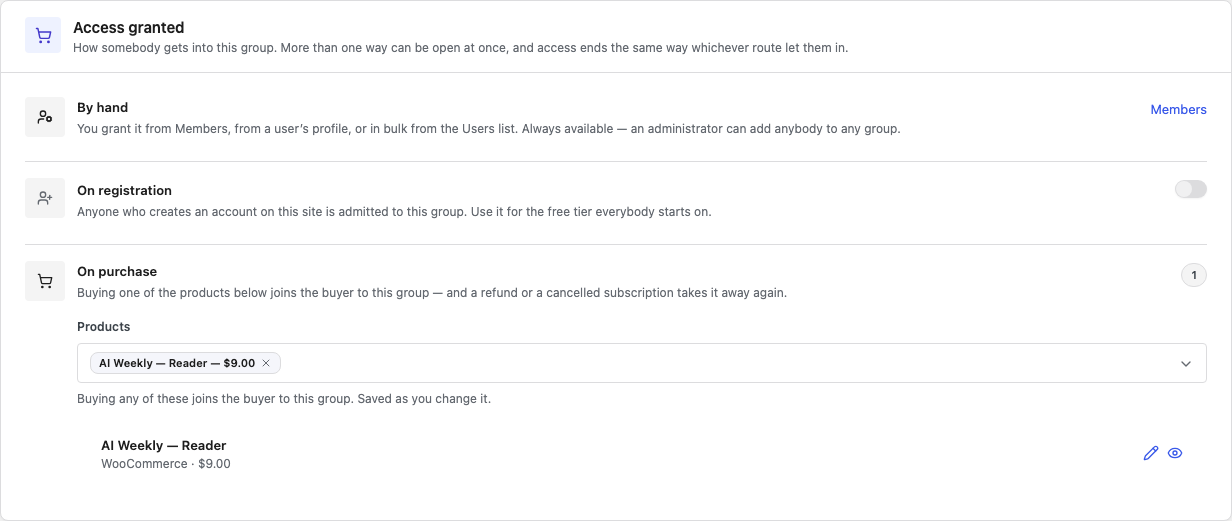
Anyone who buys one of the chosen WooCommerce products joins the group.
| Option | What it does |
|---|---|
| Products | Type part of a name to add a product; click its × to remove it. not published means it can't be bought yet. |
| Pencil and eye | Edit this product in WooCommerce, or Preview this product in the shop. |
The buy button on a refused post links to this product (see Unauthorized access).
From the product's side
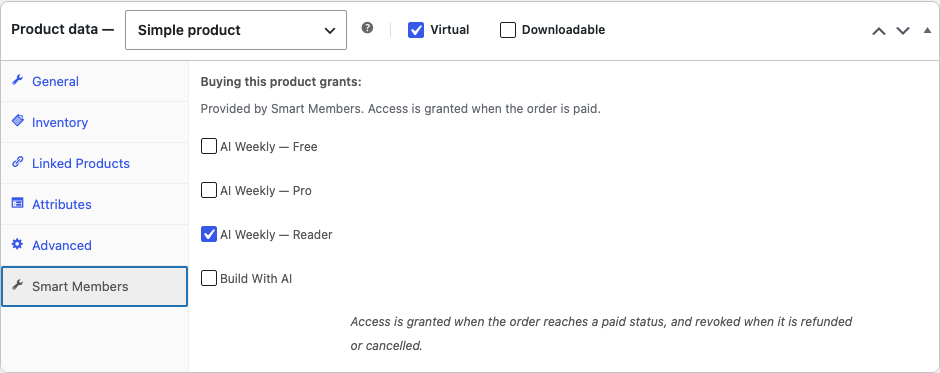
In WooCommerce, the product's Smart Members tab in Product data holds the same link. One product can give several groups.
On a new group
Products can only be attached after the group's first Save.
When access starts and ends
| Event | What happens |
|---|---|
| Order paid | Access starts at Processing or Completed. To wait for Completed, change Grant access when the order is in Smart Members → Settings → WooCommerce. |
| Refunded or cancelled | Access from that order ends. |
| WooCommerce Subscriptions | Paused while on hold, ended when cancelled or expired. |
Routes add up: someone who registered and bought has two entries, and a refund ends only the one from that order.