A shortcode is a short code in square brackets you paste into a page, like [smartmembers_restrict]. Smart Members' restriction shortcodes wrap a passage so only members see it, with an optional second passage for everyone else in the same spot.
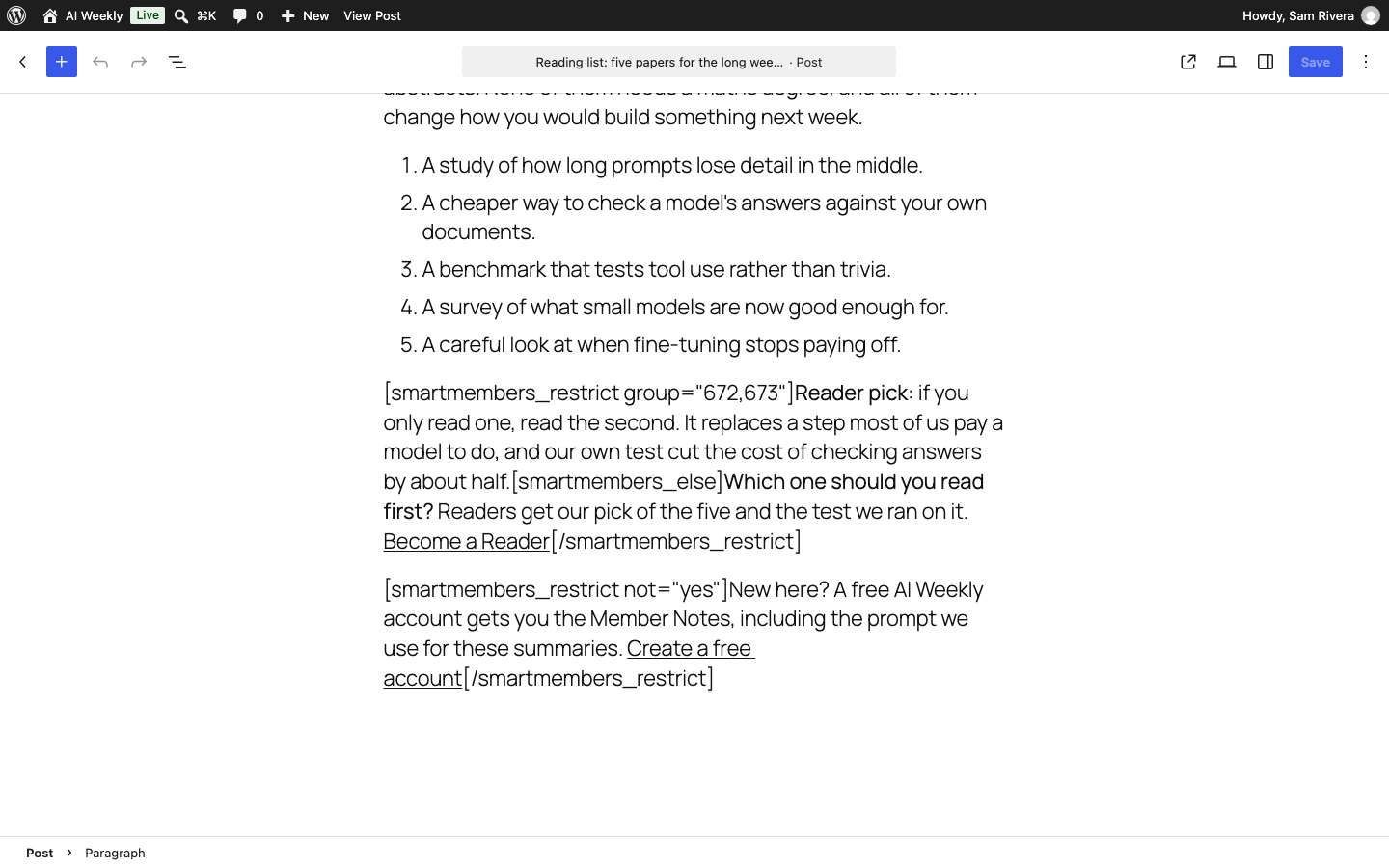
Restriction shortcodes do the same job as a block's Visible to setting (Restrict a block), but work in any text box: a Paragraph block, the classic editor or a text widget.
[smartmembers_restrict]
Members of the groups you name see the passage; everyone else does not:
[smartmembers_restrict group="672,673"]Reader pick: read the second paper first.[/smartmembers_restrict]
| Option | What it does | Example (AI Weekly) |
|---|---|---|
group | The groups whose members see the passage, by number or exact full name, separated by commas. Any one is enough. | group="672,673" — Reader and Pro. |
group left out | The passage shows to anyone in any access group. | [smartmembers_restrict]Thanks for being a member.[/smartmembers_restrict] |
not | Turns it round: the passage shows to people not in the named groups. Write not="yes". | [smartmembers_restrict not="yes"]New here? Create a free account.[/smartmembers_restrict] |
A group's number is in the browser's address bar when you open it under Smart Members → Access Groups, after access-groups/.
Note: A name that matches no group counts as nobody. group="Reader" hides the passage from everyone, because the group is called AI Weekly — Reader.
[smartmembers_else]
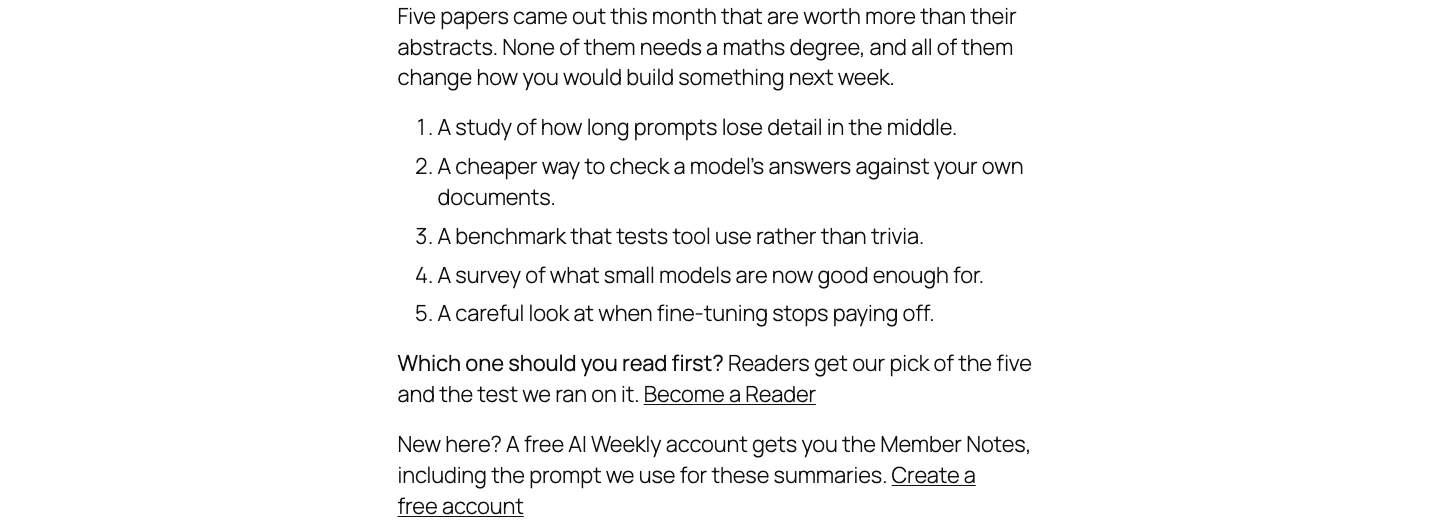
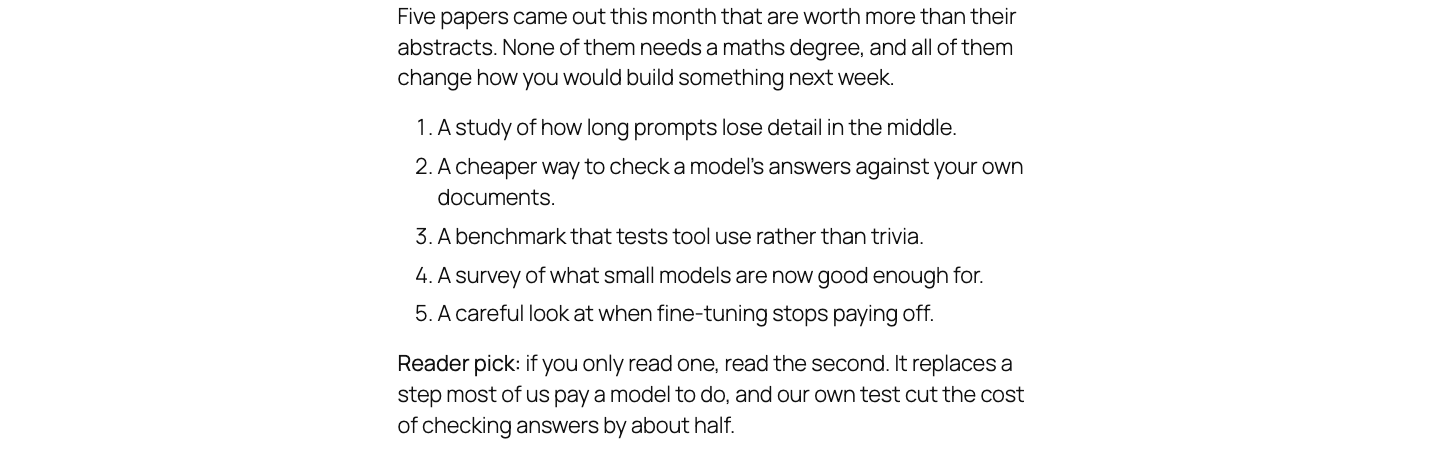
Put [smartmembers_else] inside a restrict shortcode to split it: members see the part before it, everyone else the part after. It has no closing tag.
[smartmembers_restrict group="672,673"]Reader pick: if you only read one, read the second.[smartmembers_else]Readers get our pick of the five. Become a Reader[/smartmembers_restrict]
With not="yes", the halves swap.
What visitors and members see
[smartmembers_membership]
Shows one access group as a panel: [smartmembers_membership id="672"]. A wrong or missing number shows "Access group not found."
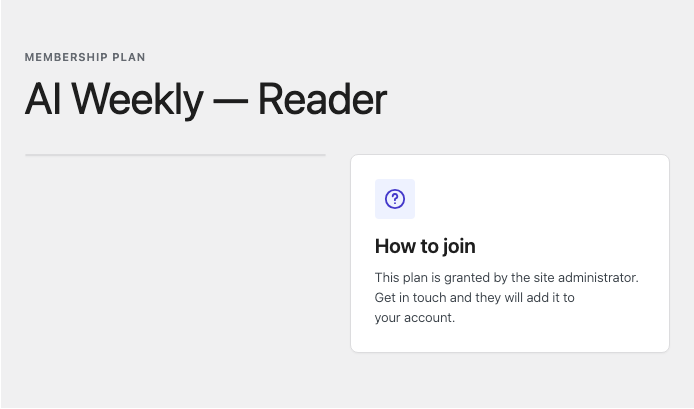
| Who is looking | What the box says |
|---|---|
| A member of the group | "You have this membership", and a Go to your dashboard button if you have a member dashboard page. |
| Anyone else | "How to join". Visitors who are not logged in also get a Sign in to your account button. |
Good to know
- Administrators see the visitor's version. Log in as a member to check the members' half.
- Only current access counts. An ended, paused or blocked membership counts as none.
- Hidden text never reaches the browser, and shortcodes inside it do not run.
- See the shortcode itself on the page? Check the spelling and the square brackets.