The problems site owners write in about most, with the fix for each. When a member is involved, start on their page under Smart Members → Members.
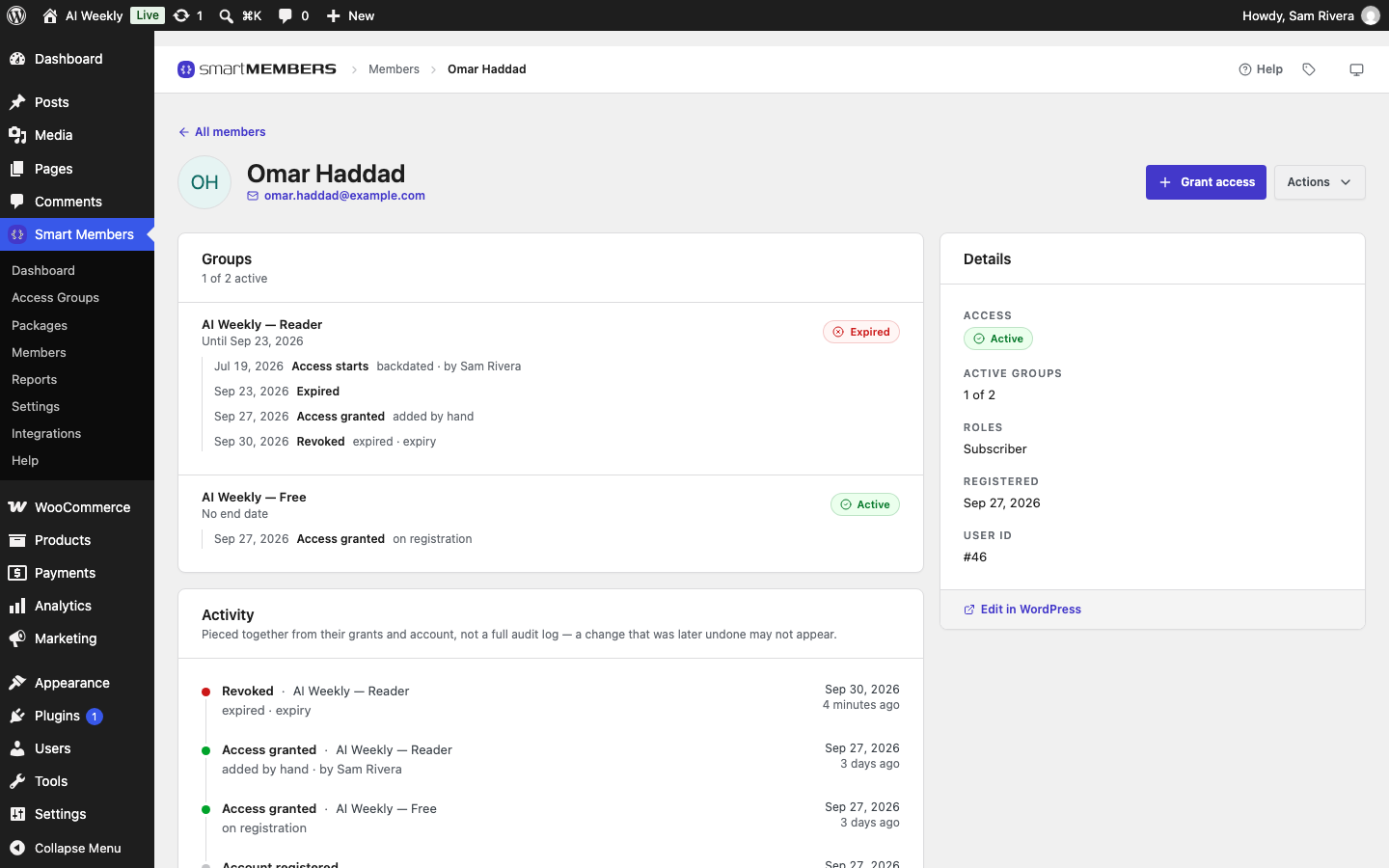
Their page lists each group they hold, its state and end date.
A member can't see content they paid for
The group shows as expired or blocked
| The member sees | Why | Fix |
|---|---|---|
| Your membership has expired. Renew it to read this. | Their end date has passed. | They buy again, or you click Grant access with a new end date. |
| Your account is on hold, so your memberships are paused. Nothing has been cancelled. | An administrator blocked them. | Actions → Restore access. |
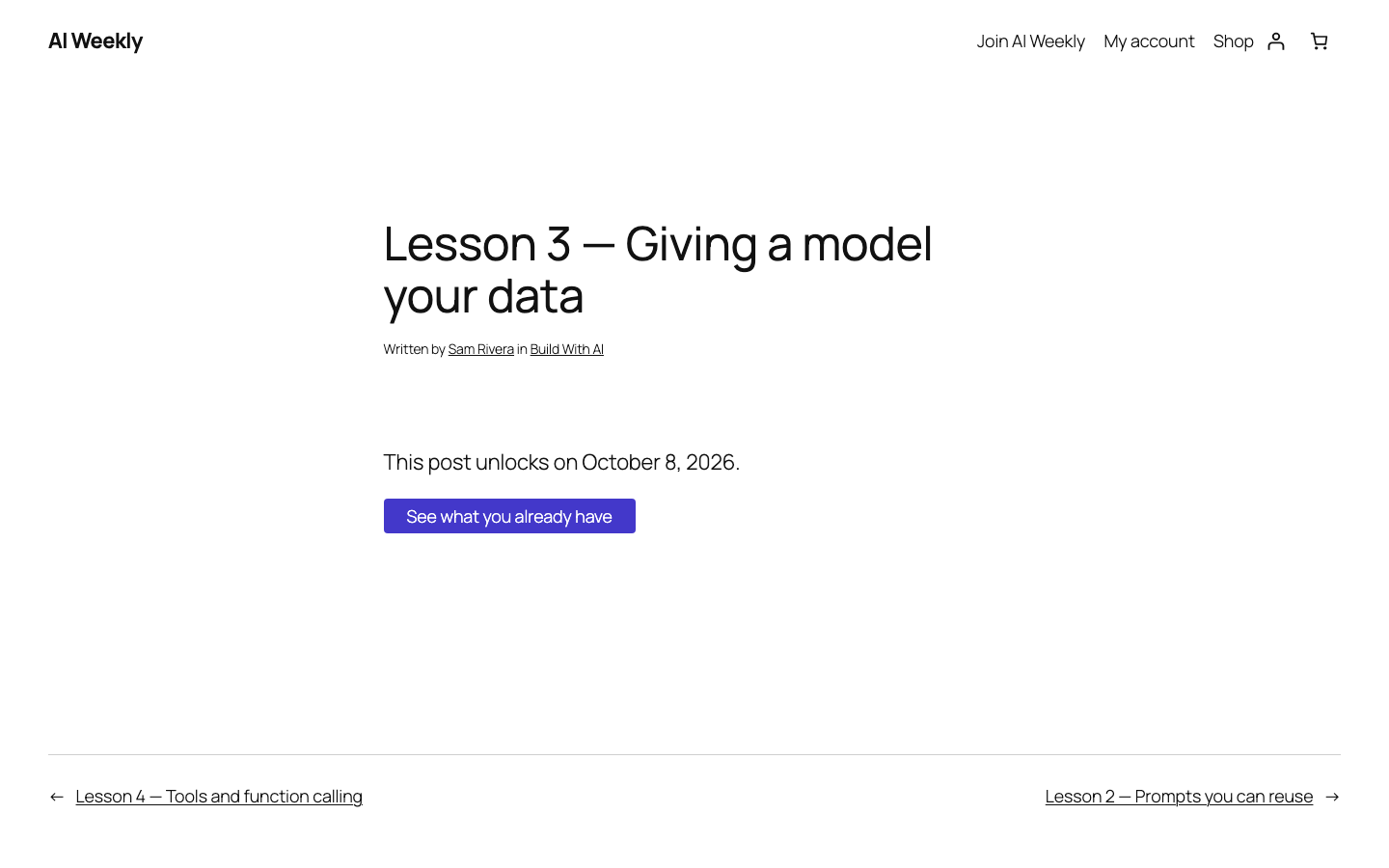
| This post unlocks on a date | A drip schedule; their day has not come. | Nothing; see the drip section below. |
| You do not have access to this content. or the group's own message | They hold a different group, or are logged into another account. | Compare the email they bought with and the account they use. |
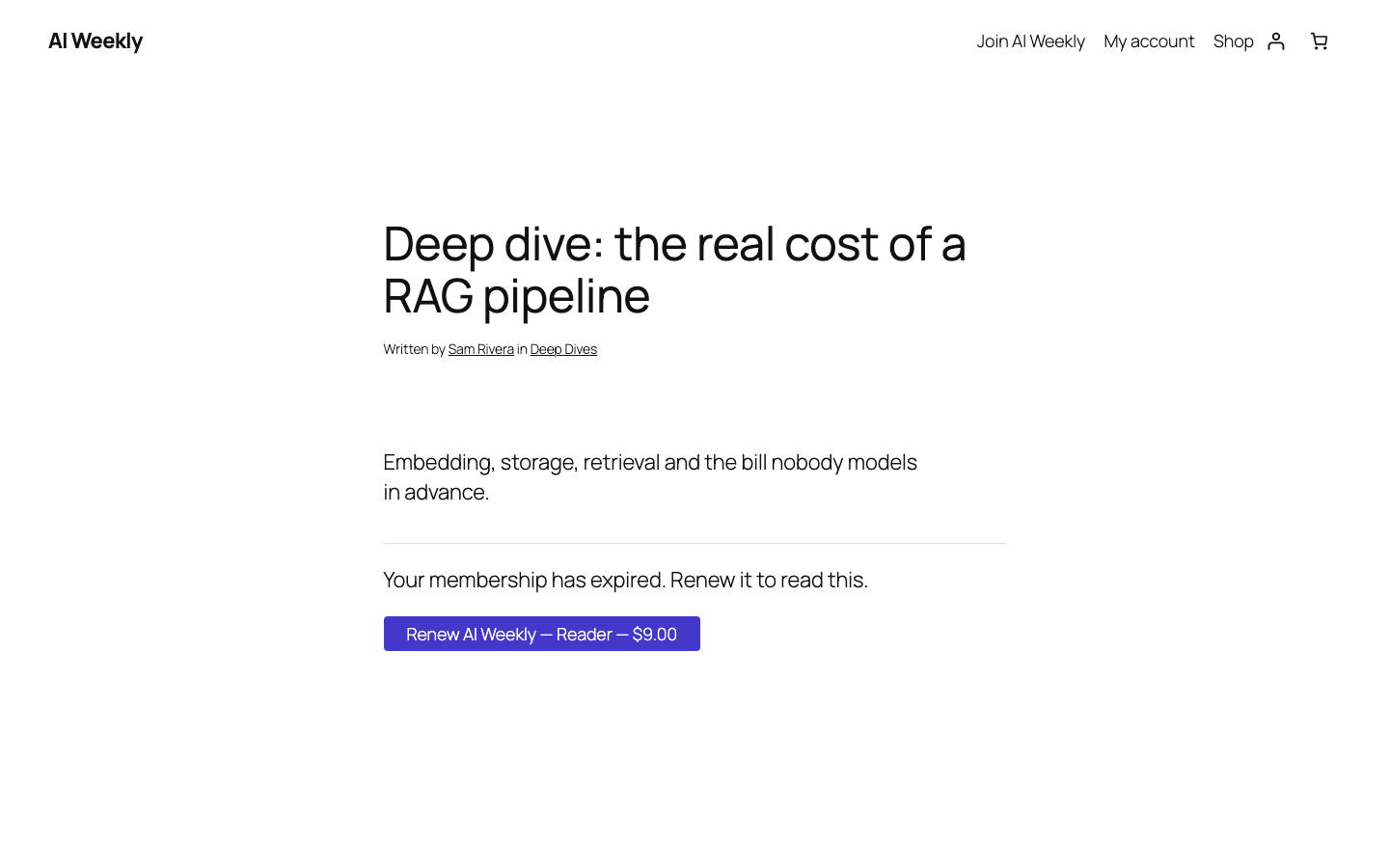
To give blocked members a contact, fill in Where a blocked member gets in touch under Settings → General.
The group isn't on their page at all
| Cause | Fix |
|---|---|
| The order is Pending payment or On hold. | Once paid, set it to Completed in WooCommerce → Orders. |
| Grant access when the order is is set to Completed only. | Choose Processing or Completed in Smart Members → Settings → Connections → WooCommerce. |
| The product isn't connected to the group. | In the group, add the product under Access granted → On purchase. |
| They bought as a guest. | They create an account with the order's email; access arrives at once. |
| The group is inactive. | Switch it back on, then click Grant access. |
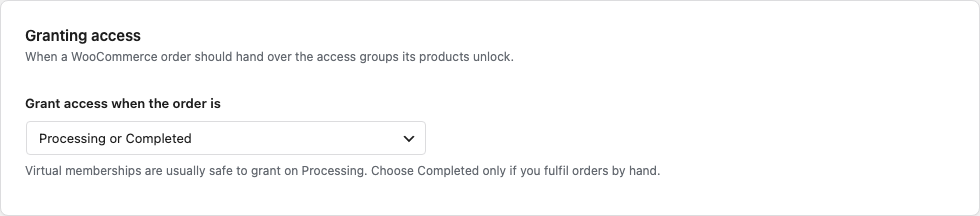
See Access granted and WooCommerce settings.
Members-only content is open to everyone
- Look as a visitor in a private window. Administrators and editors see every protected post.
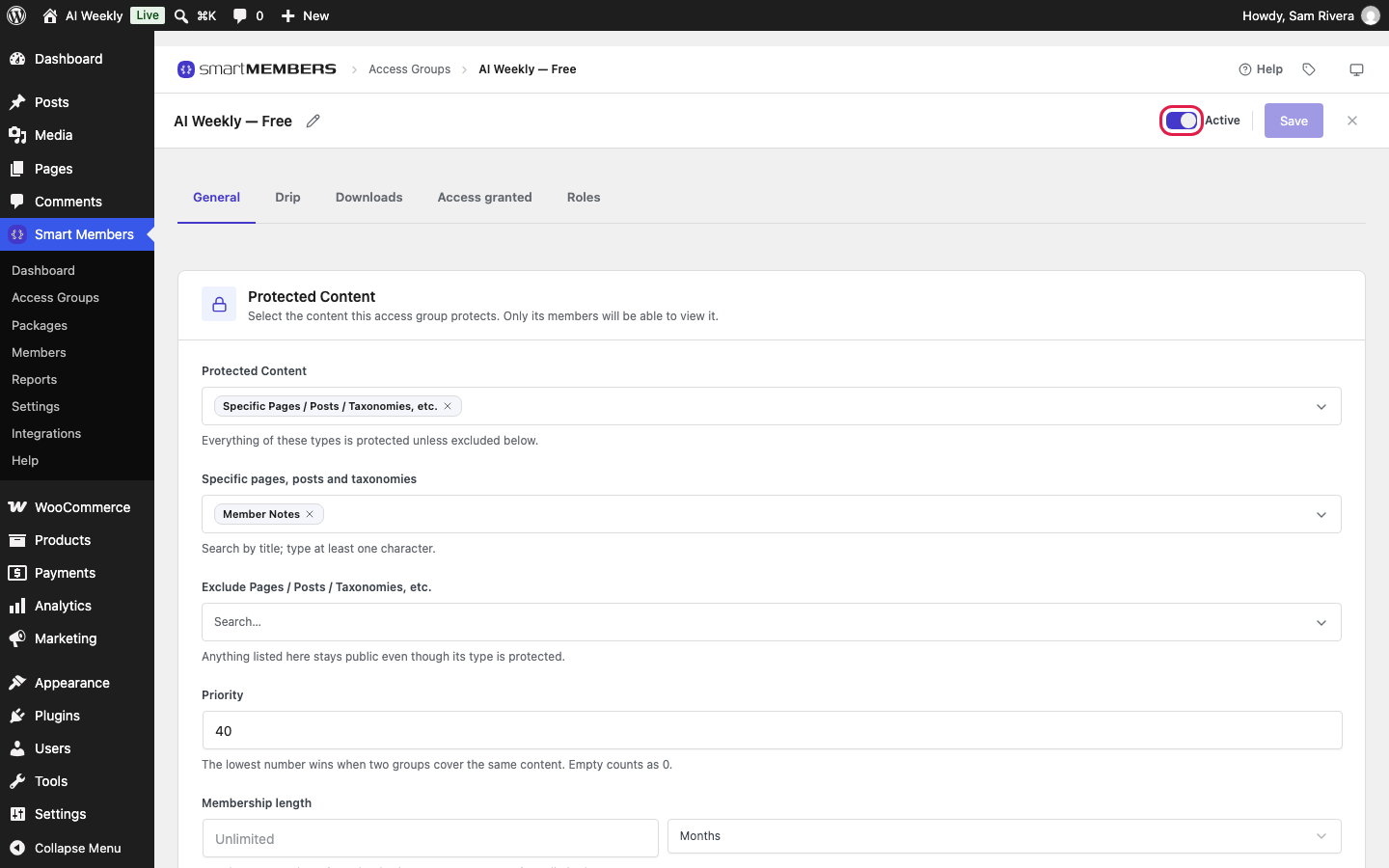
- Check the group is Active under Smart Members → Access Groups. An inactive group protects nothing; turn on the switch next to Save.
- Check the post is covered by the group's Protected Content and not excluded. See Create and edit an access group.
- Clear your cache. Some server or CDN caches show one member's page to everyone; ask your host to leave members-only pages out.
The next lesson hasn't unlocked
Drip counts from each member's own start date. Mira joined Build With AI on 24 September, so Lesson 3 (14 days) opens for her on 8 October. Pausing a membership pushes the dates back.
A lesson showing This post unlocks on a date means the drip is working. A sales message or your join page means they have no active access. See Drip content.
Members aren't getting emails
| Cause | What to do |
|---|---|
| Your host doesn't deliver WordPress email reliably. | Install an email-sending (SMTP) plugin connected to a mail service. |
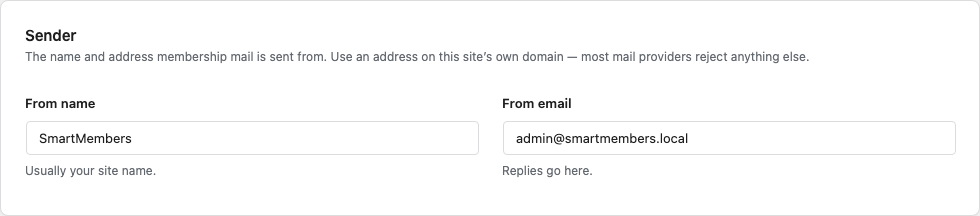
| The sender is on another domain, such as Gmail. | Set From email under Smart Members → Settings → Emails to your own domain. |
| Emails wait for a visitor, because WordPress's scheduled tasks run on visits. | Ask your host whether scheduled tasks run on your site. |
| The email is switched off (with Pro, under Email templates). | Turn it on. New user notification is off by default. |
See Email settings and Email templates.
The registration page says registration is closed
A group that lets people in On registration needs WordPress's sign-ups switched on. Go to Settings → General, tick Anyone can register next to Membership and click Save Changes.
You're locked out after changing the login address
With Customize Login URL on, /wp-login.php shows "not found" on purpose. Try your site address followed by /login/, the default. If that fails:
Warning: A typo in wp-config.php can take your site down. Copy the file before you edit it.
Add one line to wp-config.php
With your host's file manager, open wp-config.php in your site's top folder. Above /* That's all, stop editing! */, add define( 'SMARTMEMBERS_DISABLE_LOGIN_URL', true ); and save.
Fix the login address
Log in at /wp-login.php, go to Smart Members → Settings → Login customizer, and correct or turn off the address.

Remove the line
Delete the line, or the custom address stays off.
The custom address needs Settings → Permalinks set to anything but Plain. See Custom login URL and Turnstile.
A Smart Members screen is blank
- Reload without the cache: Ctrl+Shift+R, or ⌘+Shift+R on a Mac.
- Clear your caching plugin's cache.
- Update Smart Members and Smart Members Pro together; the versions must match.
- Try another browser, or deactivate other plugins one at a time on a staging copy.
Before you contact support
Click Refresh on Smart Members → Help → Logs; see Plugin log. Then send what you expected and what happened, the member's name and order number, the last lines of the log, and your Smart Members and Pro versions.