Linking a WooCommerce product to an access group turns every paid order for that product into a membership. On AI Weekly, anyone who pays $9.00 for AI Weekly — Reader can read every Deep Dive straight away.
Before you start
- WooCommerce active, and a product with a price.
- A saved, active access group (Create and edit an access group).
Sell a group
Create the product
In WooCommerce, create the product, give it a price and tick Virtual.
Open the group
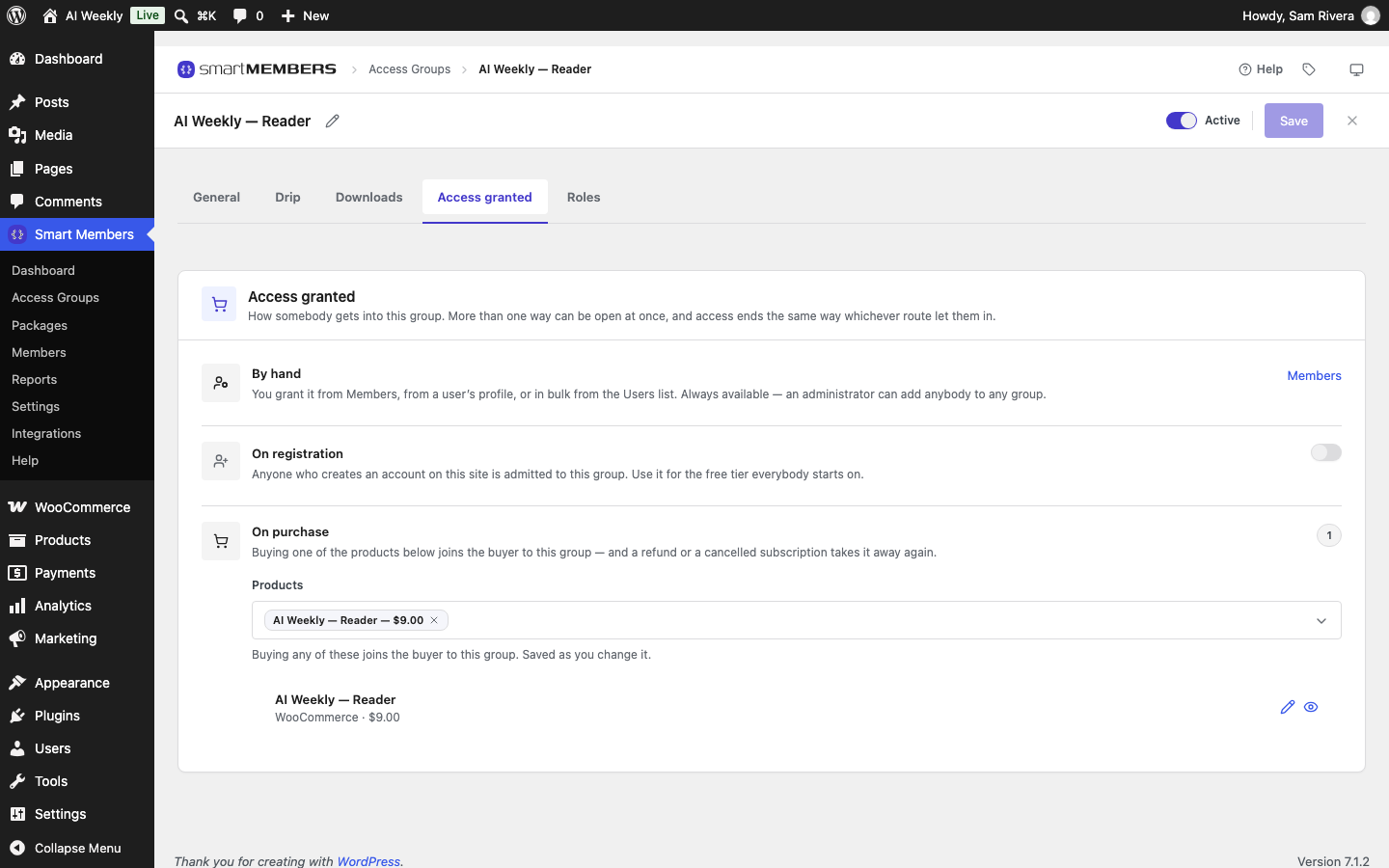
Go to Smart Members → Access Groups, click AI Weekly — Reader, then the Access granted tab.
Pick the product
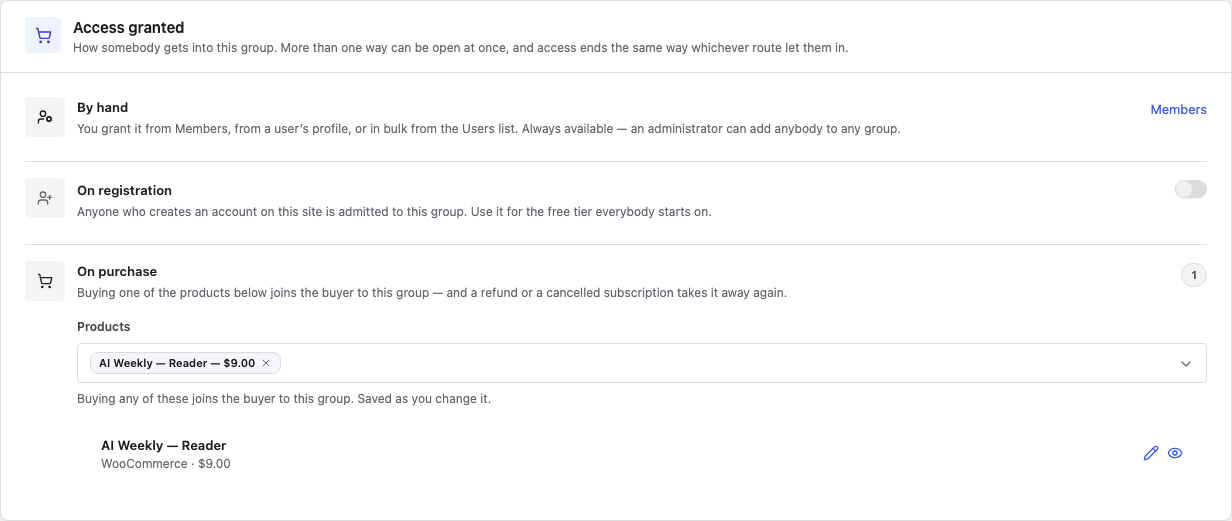
Under On purchase, click Products, type part of the product's name and click it.
Check the buy button
On the General tab, under Unauthorized Access, the box should read The button links to your product.
The On purchase row
| Option | What it does |
|---|---|
| Products | The products that sell this group, with name and price. Published, private and draft products are listed. |
| The × on a product | Unlinks it. Future buyers no longer join; past buyers keep their access. |
| Linked product list | Each product's price, and not published for a draft. The pencil edits the product; the eye opens its page. |
By hand and On registration are covered in Access granted: how people join a group.
Link from the product instead
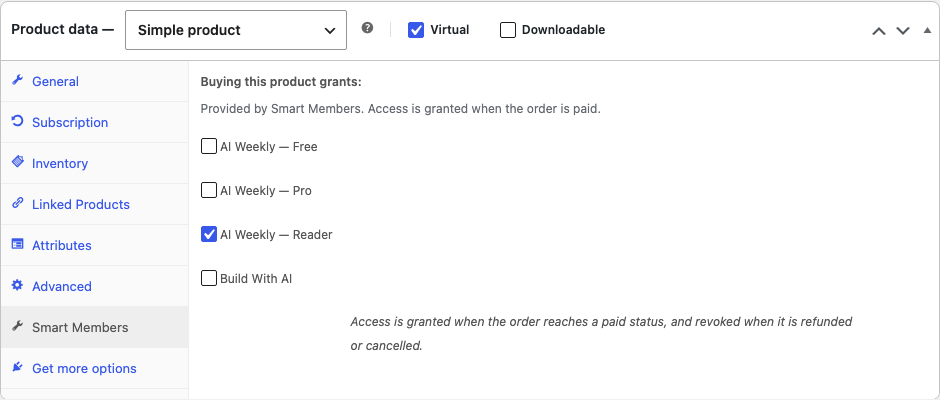
On the product's edit screen, open the Smart Members tab in Product data. Under Buying this product grants:, tick the groups and click Update. It is the same link as On purchase. Only active groups are listed.
The button refused visitors see
A sold group's refusal message gets a button reading Get, the product name and the price. With several products, the cheapest one that can be bought is used. An address in Your own link (optional) replaces it (Unauthorized access: what visitors see).

What buyers see
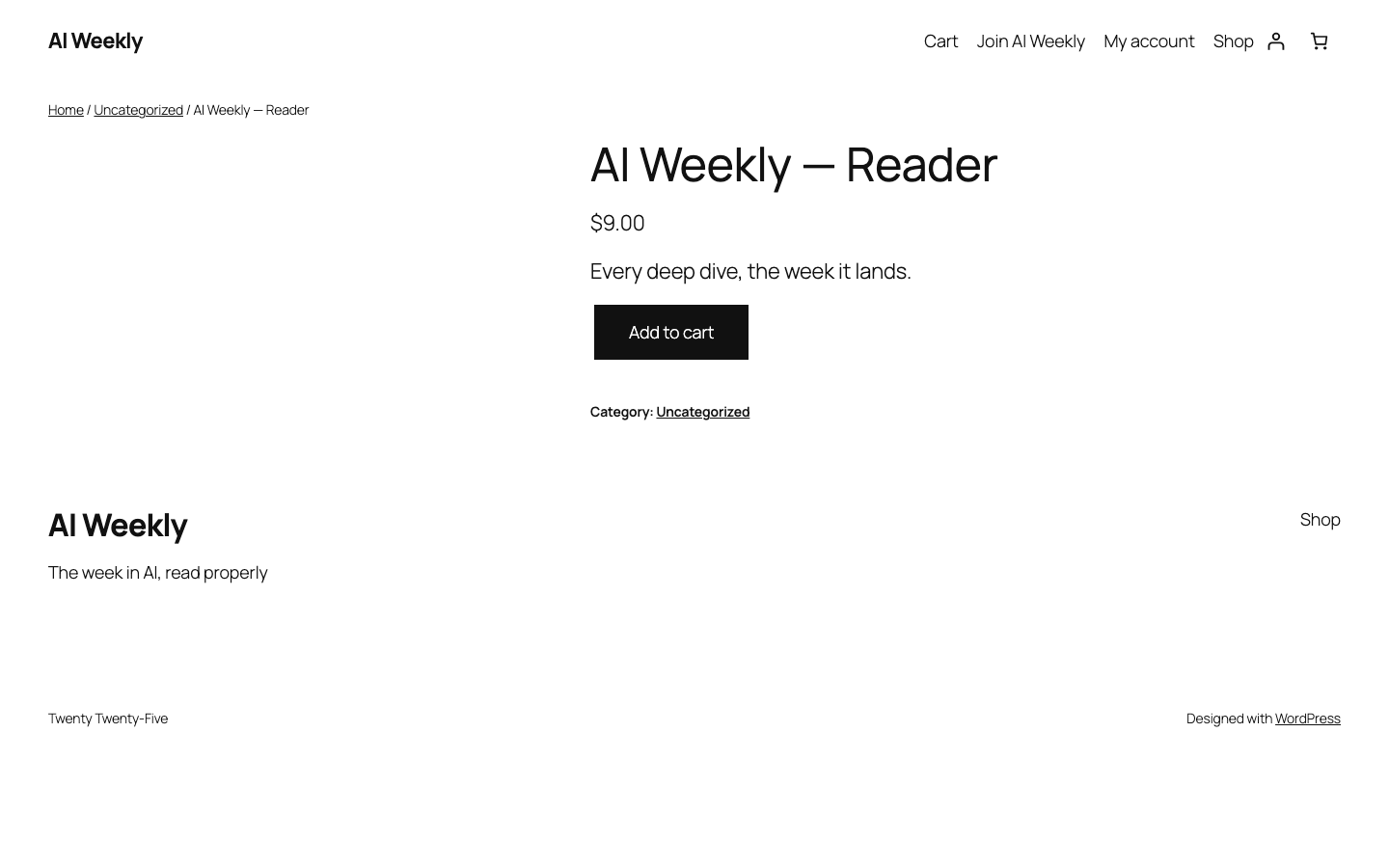
The button opens the normal WooCommerce product page, and the buyer checks out as usual. When the order reaches Processing or Completed, the Deep Dive opens in full.
Good to know
- Guest checkout works. Access goes to the account with the order's email address, or waits until one is created.
- Do not lock the product itself. People outside a group cannot buy a product that group protects.
- Variable products: link the main product; every variation unlocks the same groups.
- Unpaid orders give nothing. See Subscriptions, refunds and cancellations.