Drip holds part of a group's content back and opens it later: a set number of days after each member joins, or on one date for everyone.
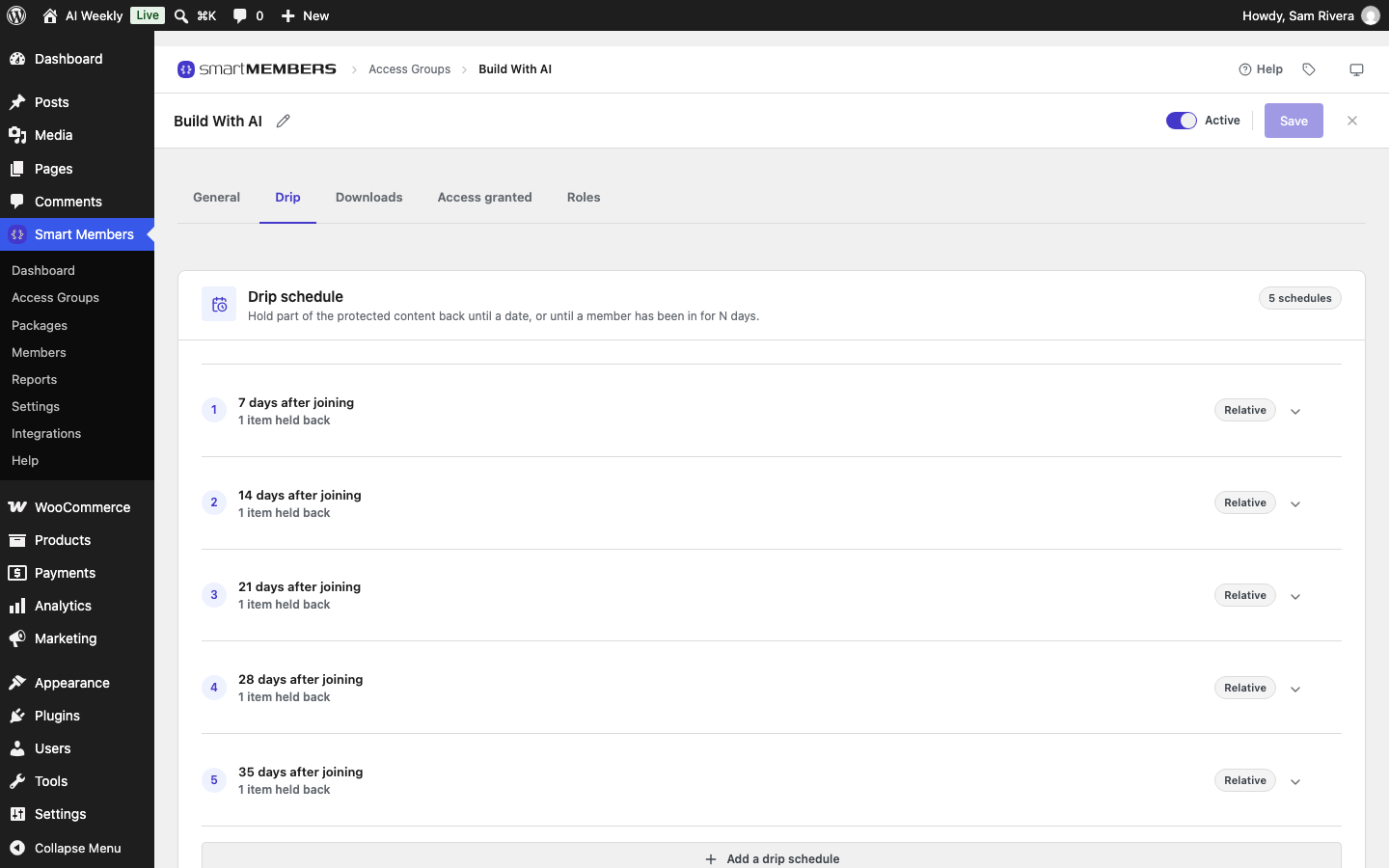
Before you start
- Protect each item you want to drip by name, under Specific pages, posts and taxonomies on the group's General tab. An item covered only by a category or All Posts is not dripped.
The Drip schedule panel
Open the group and click the Drip tab. Each schedule is one row.
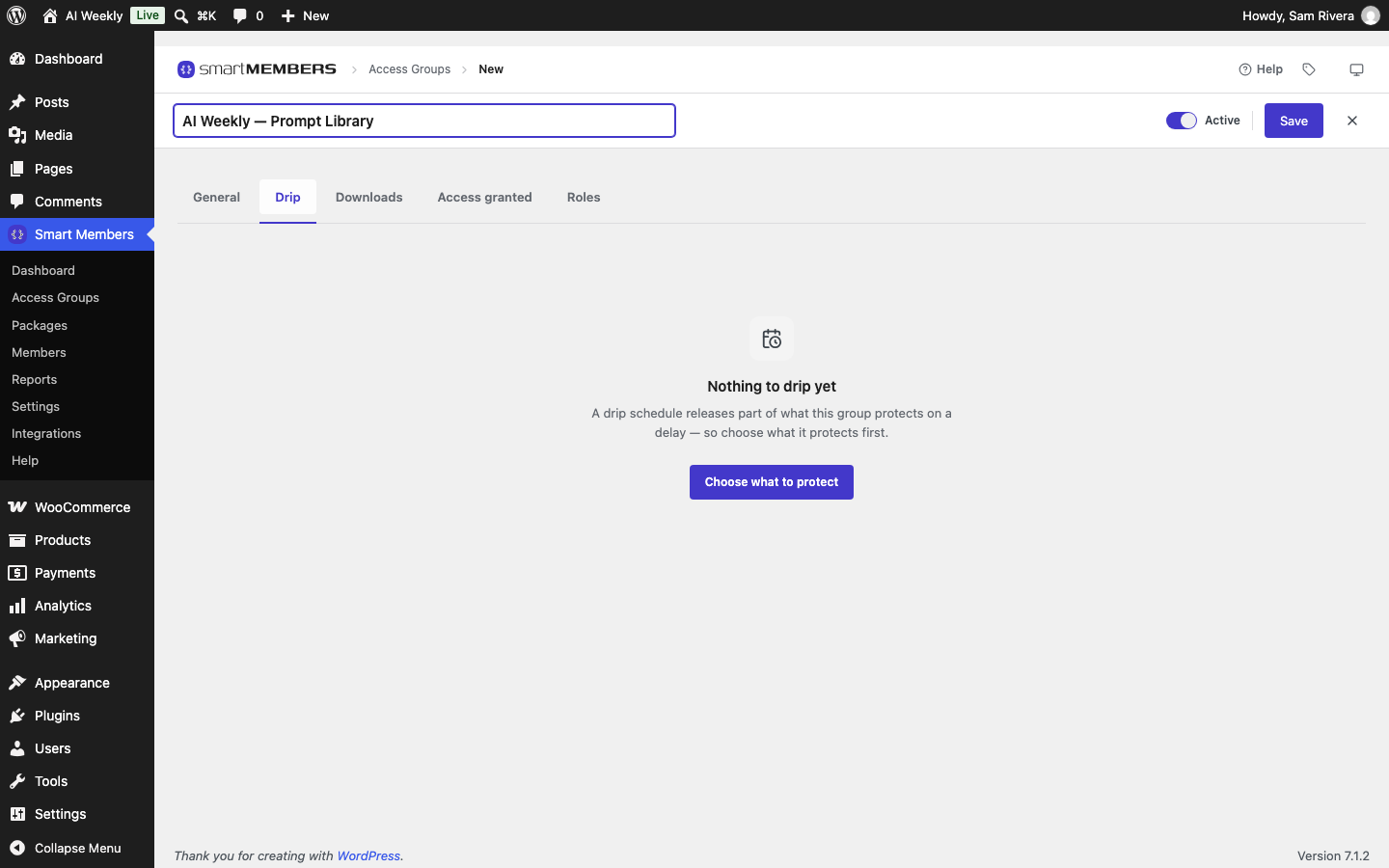
| Part of the panel | What it tells you |
|---|---|
| Row title | When the row opens, such as 14 days after joining. |
| Relative / Fixed date | Counts from each member's join day, or one date for everyone. |
| Not scheduled | The row has content but no delay or date, so it releases nothing. |
| Bin (Remove this schedule) | Deletes the row; its items open for every member. |
The fields in a schedule
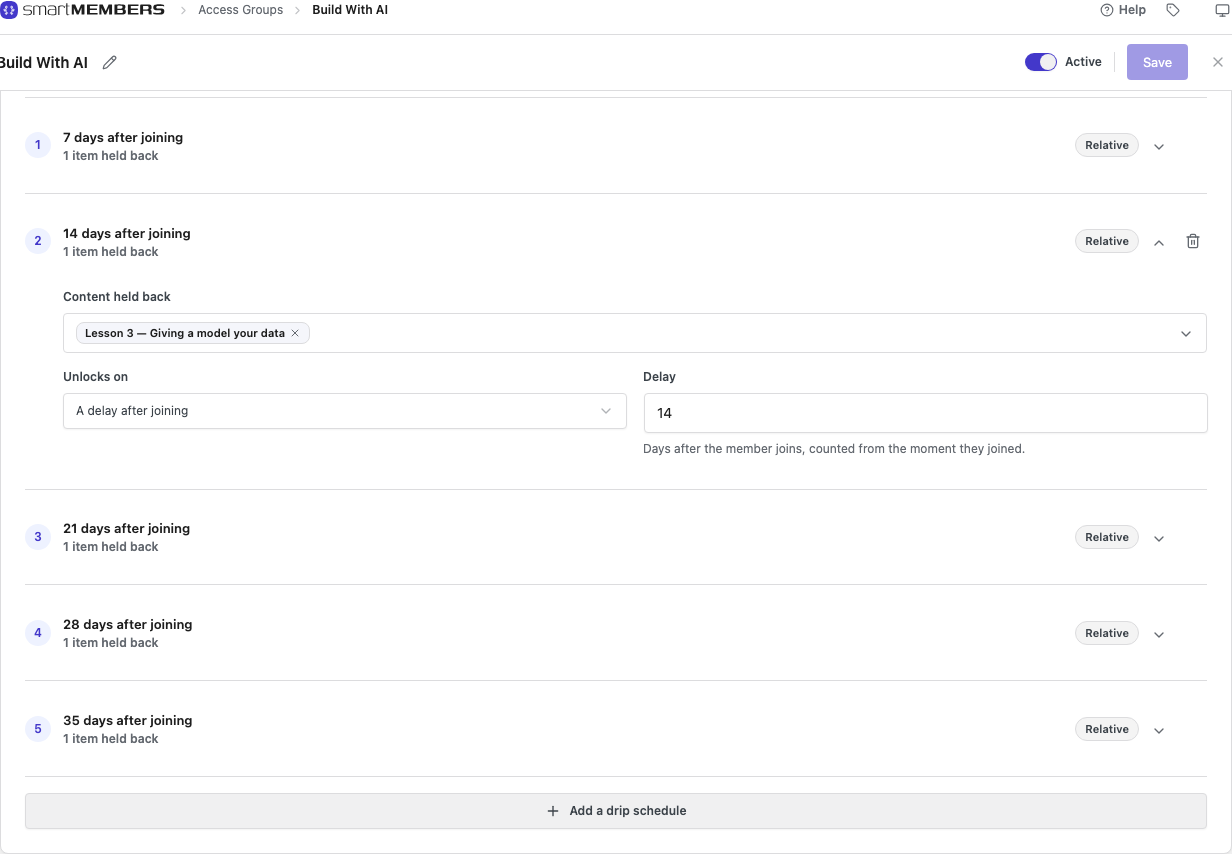
| Option | What it does |
|---|---|
| Content held back | The items this row keeps closed. Several items open together. |
| Unlocks on | A delay after joining counts from each member's start. A fixed date opens for everyone on one day. |
| Delay | Days after joining. 14: a student who joins on 24 September gets Lesson 3 on 8 October. |
| Date, Time of day | For a fixed date: the day and time it opens, in your site's time zone. |
Add a schedule
Add a row
Click Add a drip schedule, then click the new row.
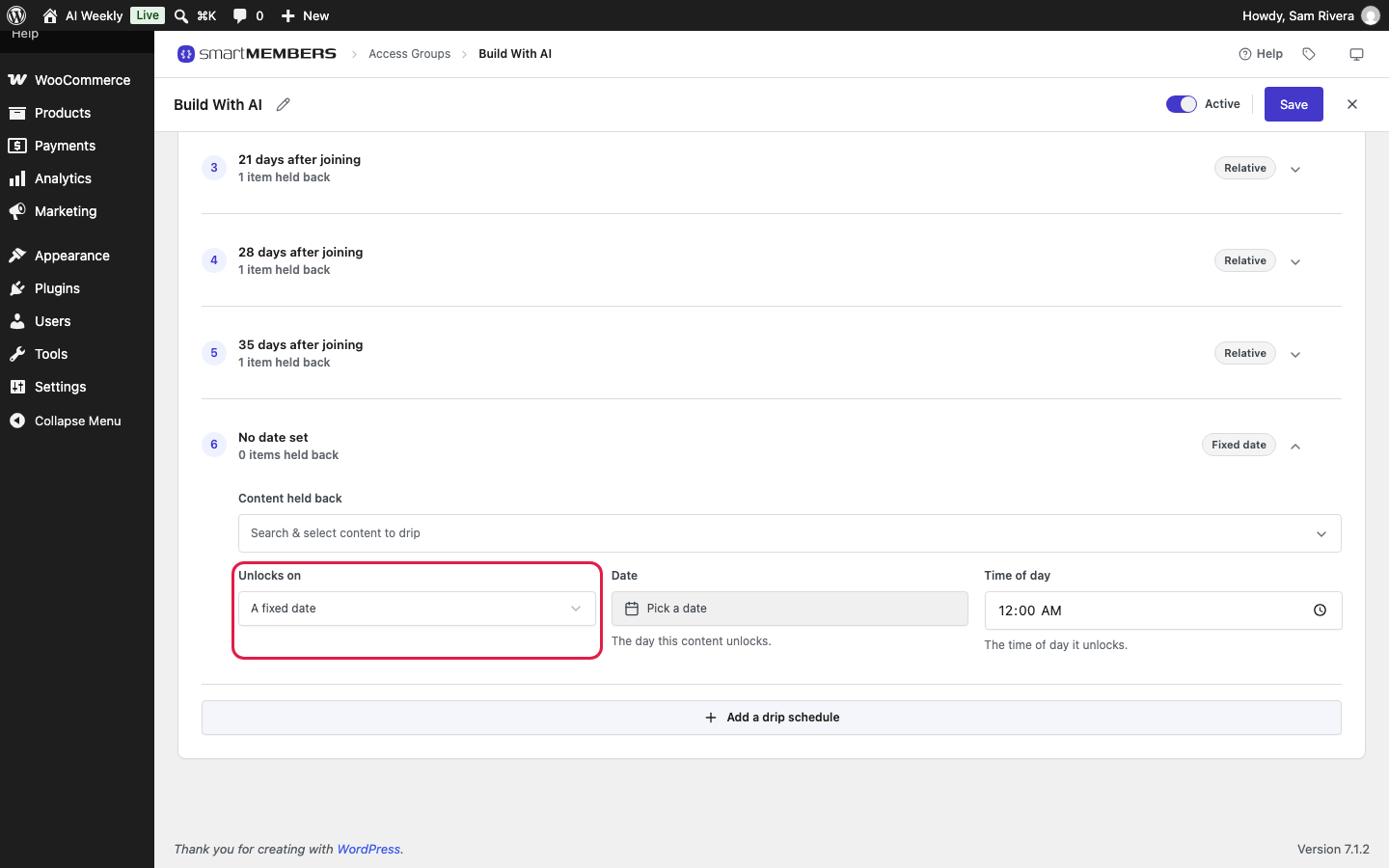
Pick the content
In Content held back, type Lesson 2 and click it.
Set the delay
Set Unlocks on to A delay after joining and Delay to 7.
Save
Click Save. A row with content but no delay or date can't be saved.
What members see
| Who | What they see |
|---|---|
| Visitors and non-members | The group's Unauthorized Access setting. |
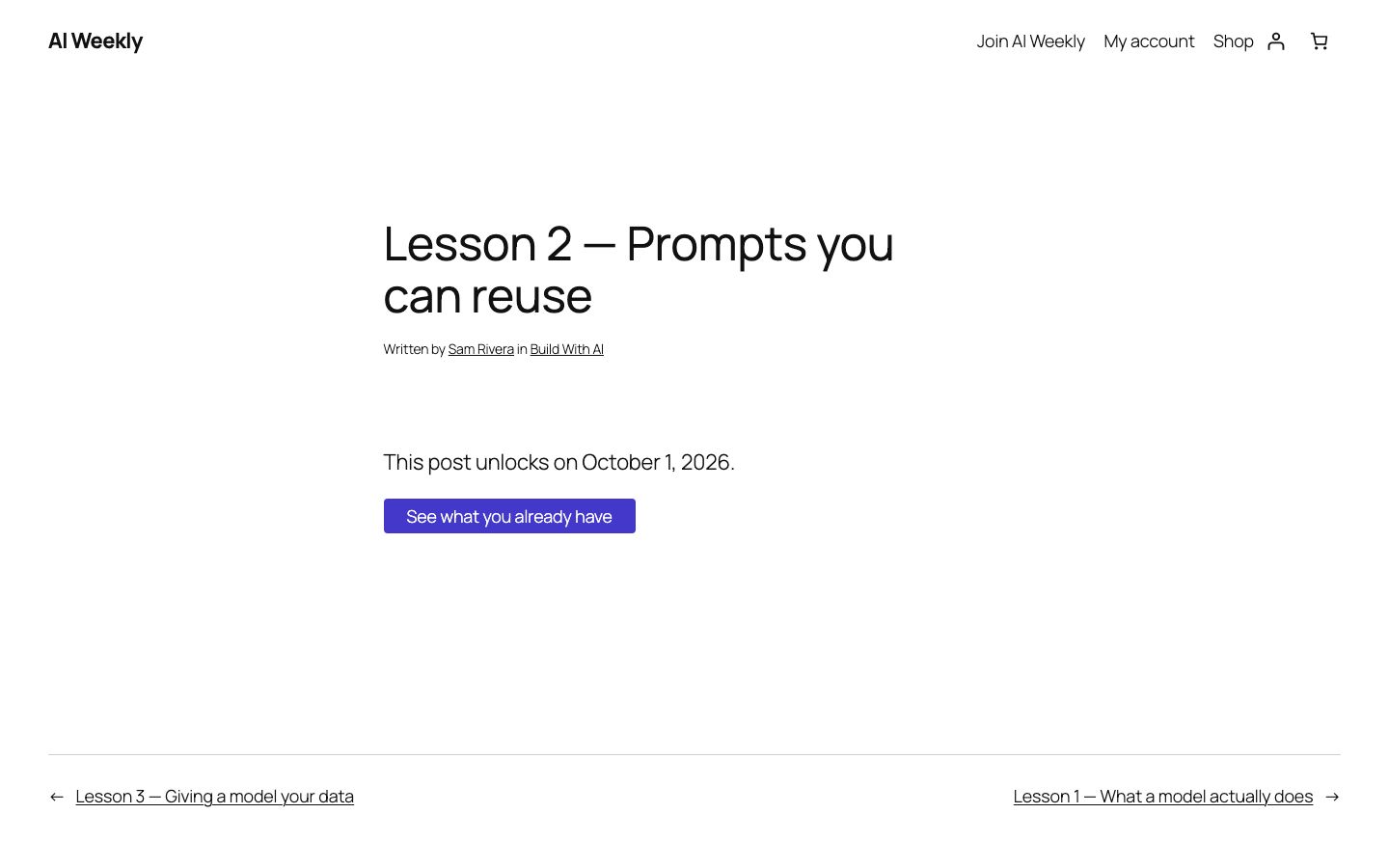
| Members before the day | "This post unlocks on date." and See what you already have, to their dashboard. |
| Members on or after the day | The whole item. |
How the opening day is worked out
- Joining is the day this person's access started.
- Paused memberships push each lesson back by the time paused.
- Two groups, one lesson: the earlier date wins.
- Changing a delay changes it for everyone, including past joiners.
Pro: Smart Members Pro adds a Drip Schedules screen listing every group's schedules.