The member area is four pages where members sign in, sign up, see their memberships and change their details. Smart Members creates them when you activate it.
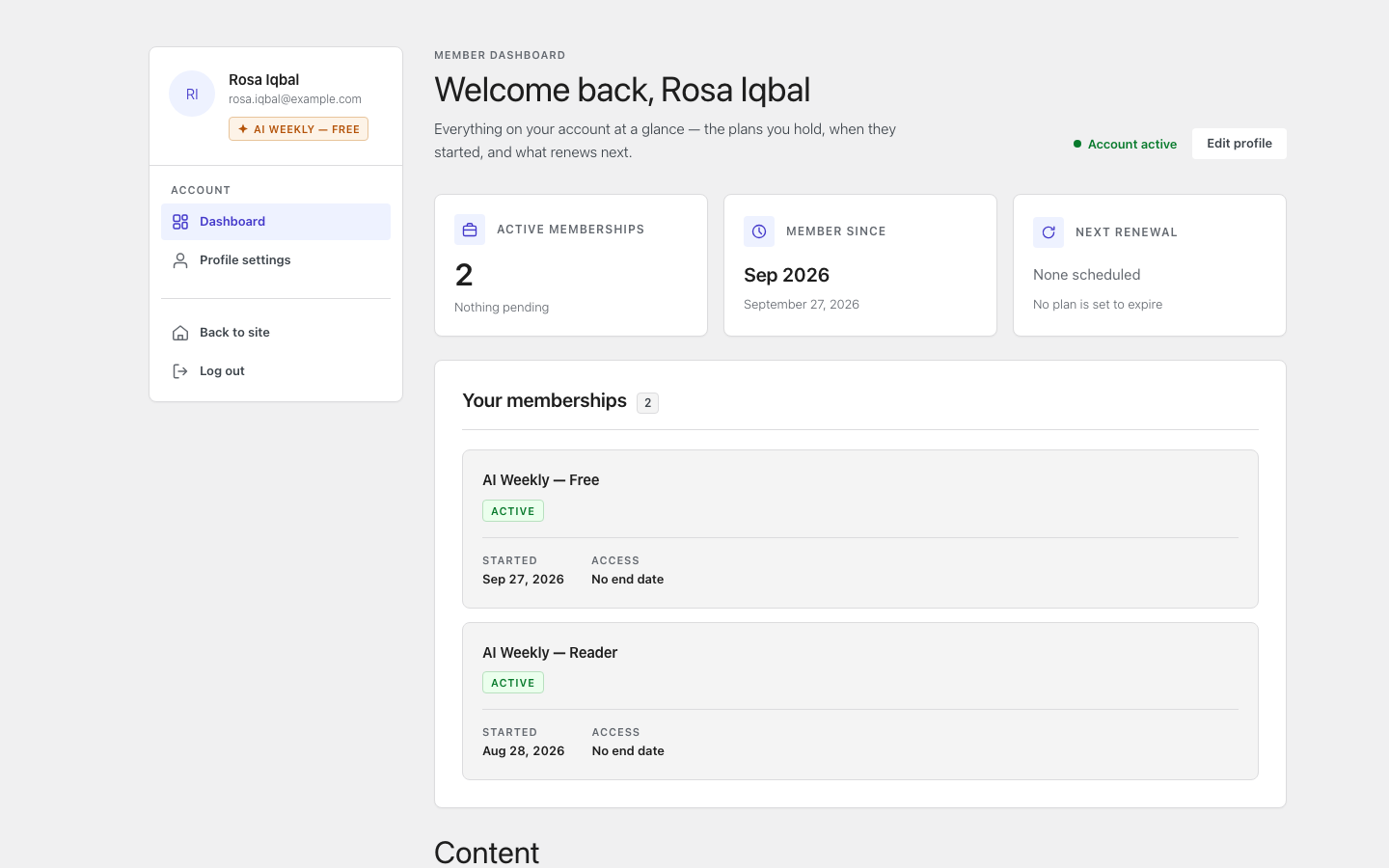
The four member pages
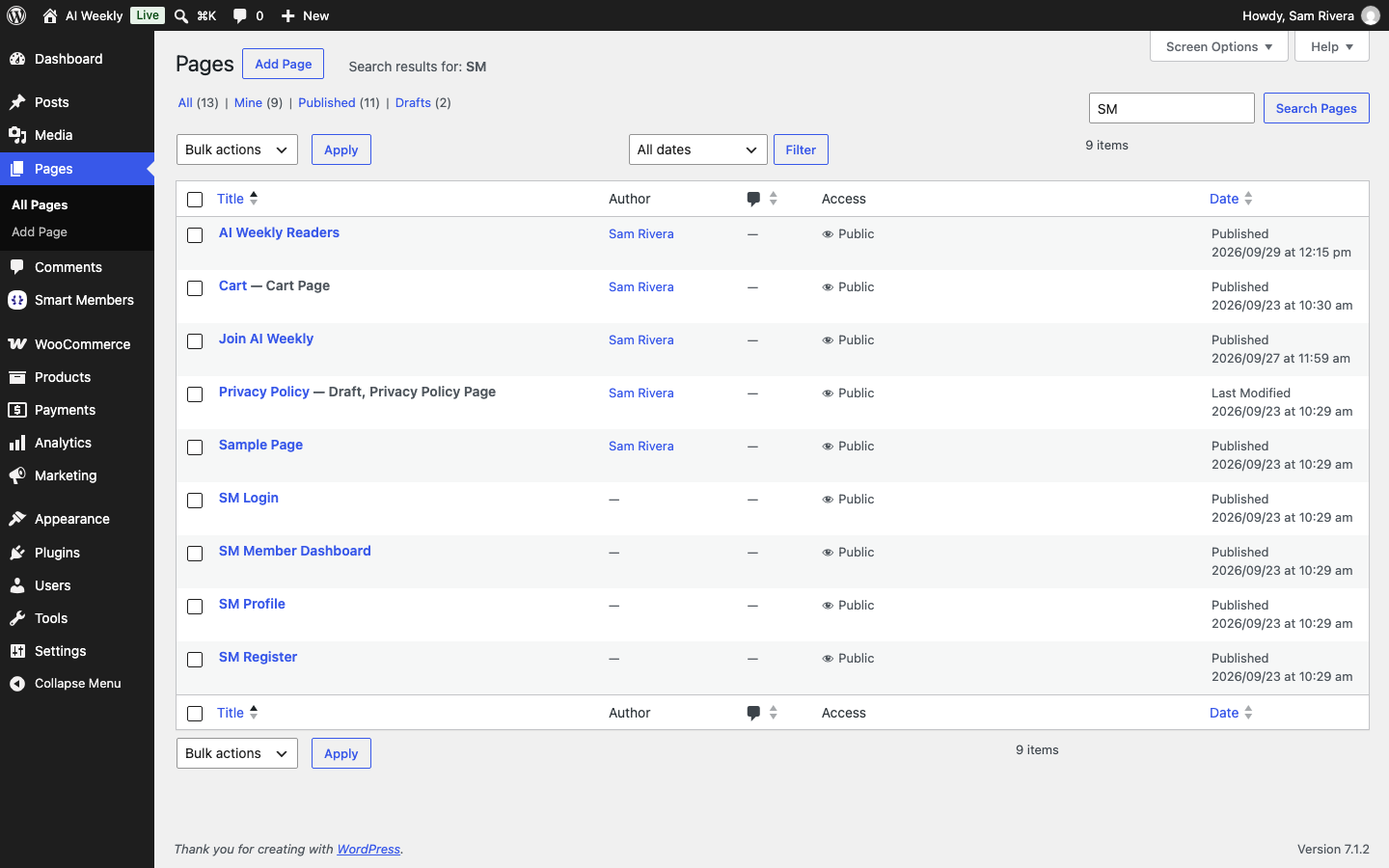
| Page | What it shows |
|---|---|
| SM Login | The sign-in form. |
| SM Register | The sign-up form. |
| SM Member Dashboard | Memberships and what they unlock. |
| SM Profile | Details, address, password and email choices. |
Visitors who open the dashboard or profile are sent to SM Login.
Warning: Do not delete the SM pages. A deleted dashboard page never comes back; you must choose another on the Member area tab.
Member area settings
To use pages of your own, go to Smart Members → Settings → Members & data → Member area.
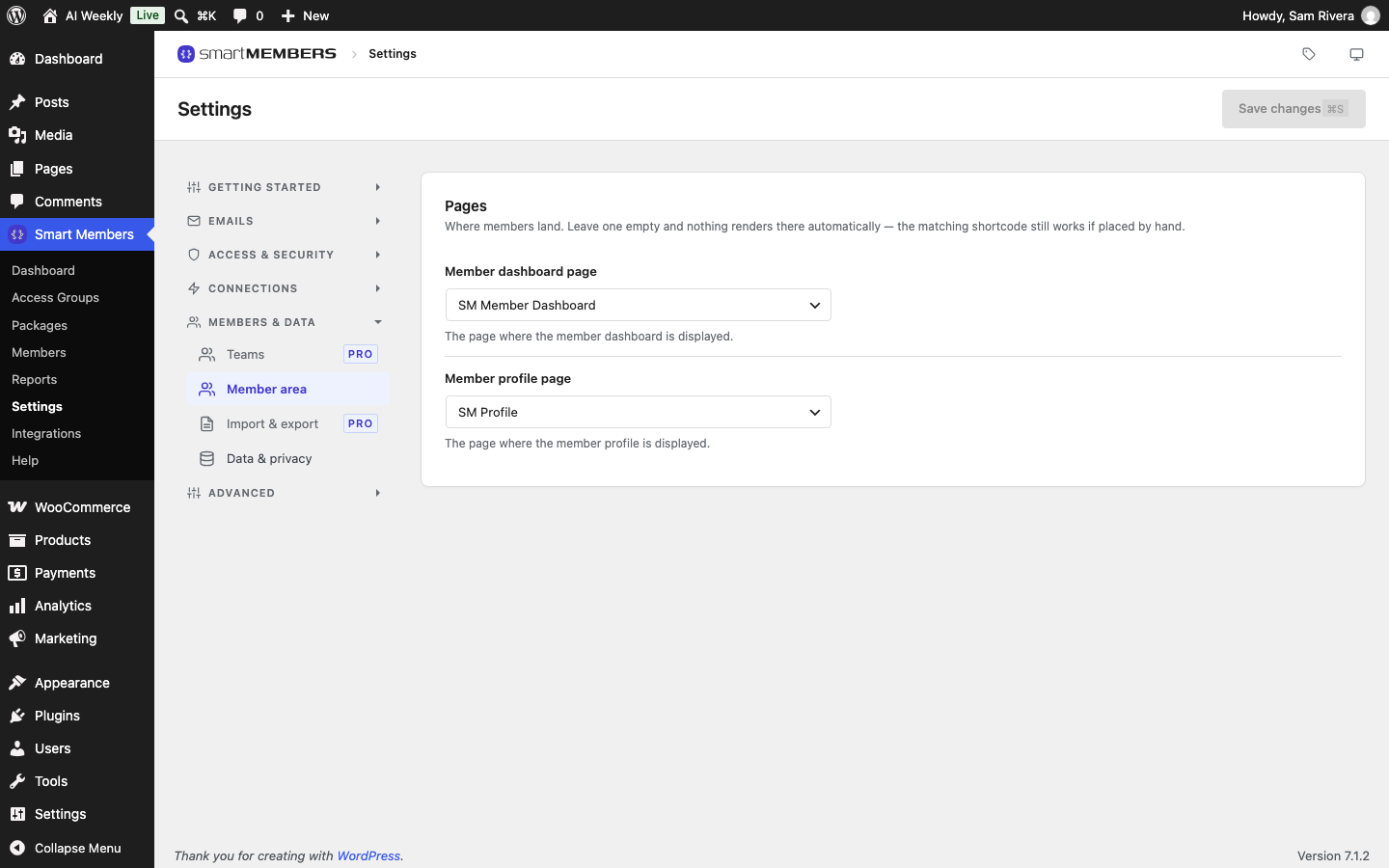
Choose the Member dashboard page and Member profile page. Sign-in and sign-up always use the SM pages.
What members see
Signing up
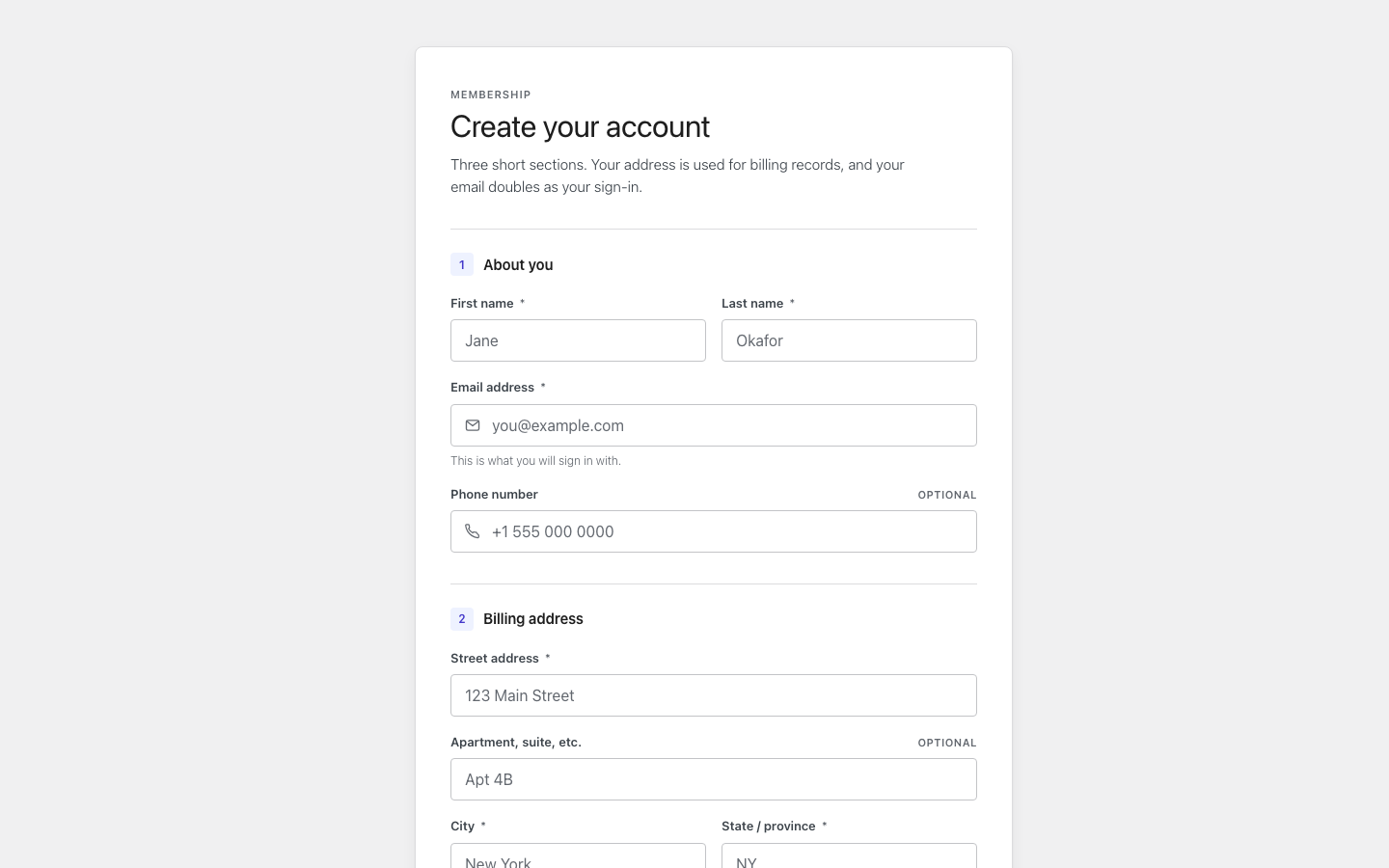
The new account is signed in and joins any group with On registration on, such as AI Weekly — Free. Sign-ups need Anyone can register ticked under WordPress's Settings → General.
The dashboard
Each membership, when it started and how long it lasts, then the content it unlocks, with an "Unlocks on" date for dripped lessons.
The profile
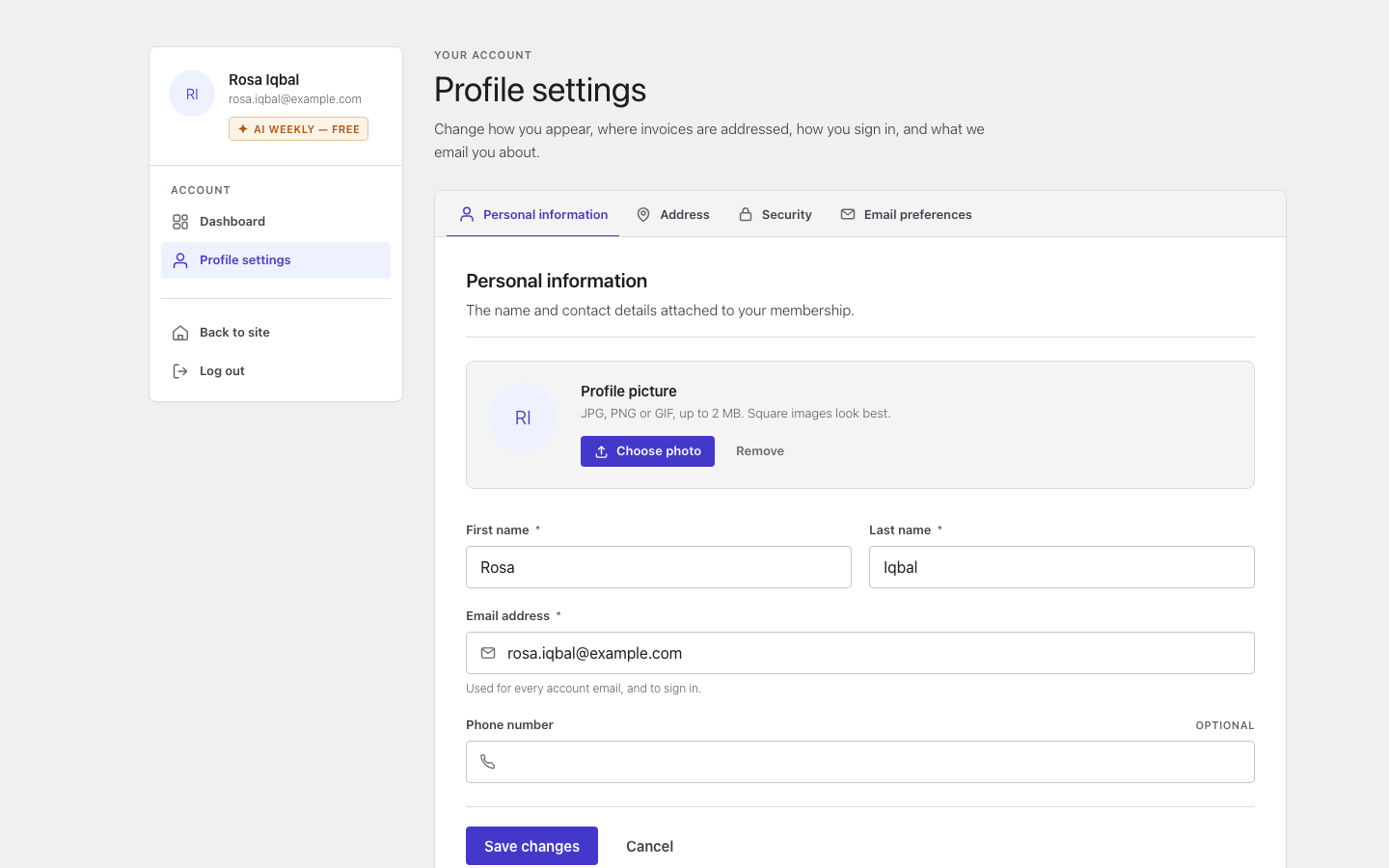
Its tabs: Personal information, Address, Security (password) and Email preferences (marketing emails).
Member area shortcodes
Paste one into any page to show that screen.
| Shortcode | What it shows |
|---|---|
[smartmembers_login], [smartmembers_registration], [smartmembers_dashboard], [smartmembers_profile] | The four member screens. |
[smartmembers_membership id="672"] | One access group, for visitors. The number is the group's ID, shown in the address bar when you edit it. |
[smartmembers_restrict] | Part of a page for members only. See Restriction shortcodes. |
The Member Directory block
This block lists the people in your access groups on any page.
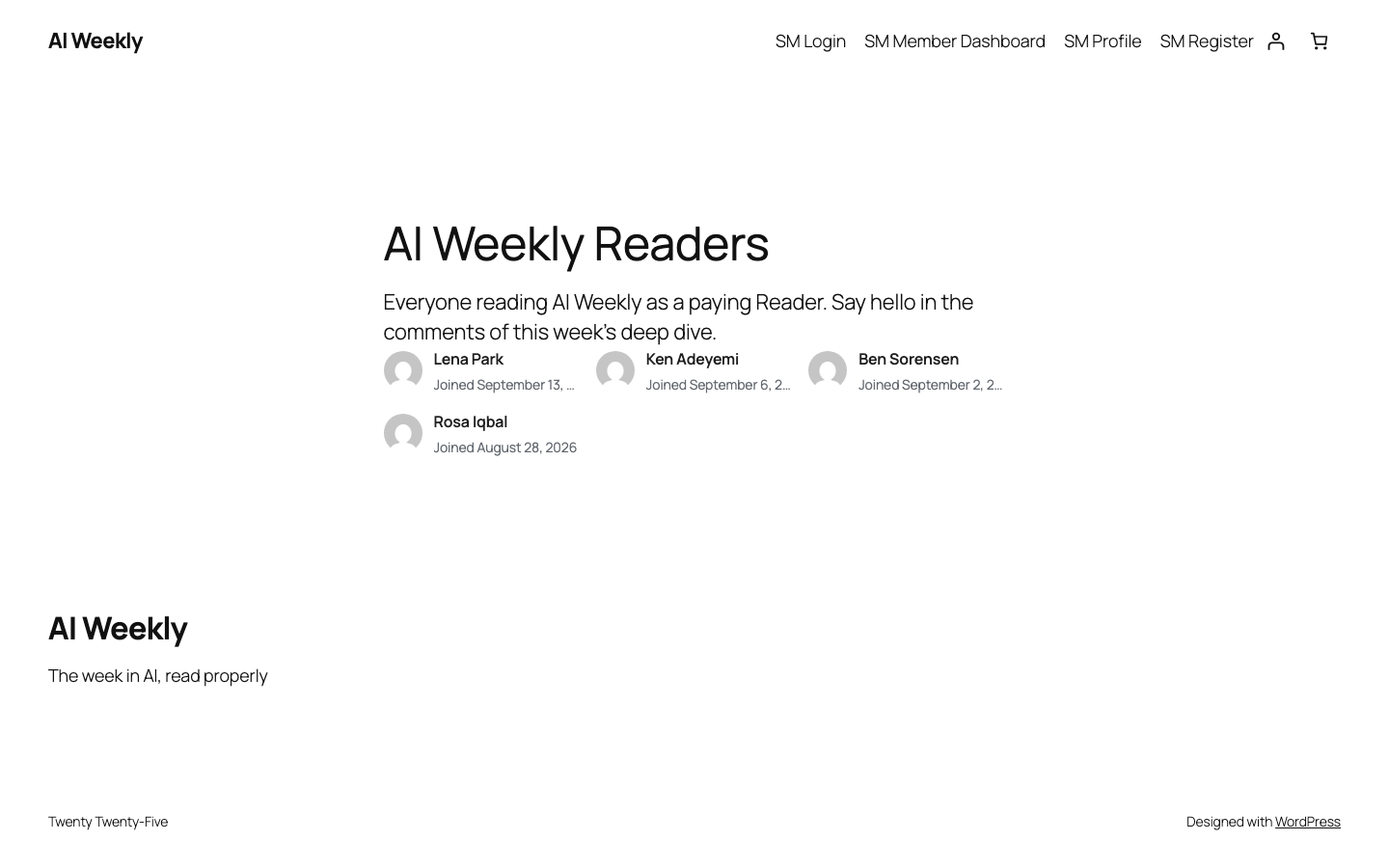
Add the block
In the editor, click + and search for it.
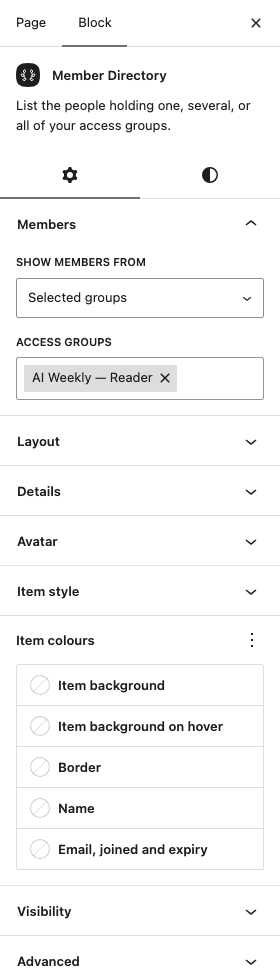
Choose whose names appear
Set Show members from on the right.
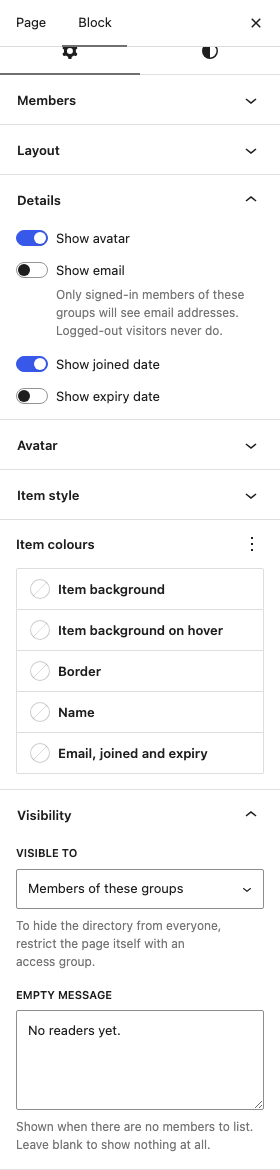
Set the details and who can see it
See the table below.
Save and view the page
Save, then view it as a member.
| Option | What it does |
|---|---|
| Show members from, Access groups | All access groups or Selected groups. |
| Layout, Columns, Gap | Grid or List, and spacing. |
| Order | Newest first, Oldest first or Name. |
| Members per page | Default 15. 0 shows up to 200. |
| Show avatar, Show email, Show joined date, Show expiry date | What each entry shows. Visitors never see emails. |
| Avatar, Item style, Item colours | Avatar size and shape, and how each entry looks. |
| Visible to | Everyone, Signed-in visitors or Members of these groups. It hides the list, not the page. |
| Empty message | Shown when nobody is listed, such as "No readers yet." |
Only members with active access are listed; blocked members stay listed.
Related articles
- Login customizer — style the SM Login page.
- Access granted: how people join a group — join a group on sign-up.
- Restriction shortcodes — show part of a page to members only.
- Member role and wp-admin access — keep members out of the WordPress dashboard.